
62 lines
1.6 KiB
Markdown
62 lines
1.6 KiB
Markdown
# Easy Facial Recognition
|
|
|
|
Recognition by minimum norm between vectors (128D dlib descriptor)
|
|

|
|
|
|
|
|
### Prerequisites
|
|
|
|
#### Install requirements
|
|
|
|
Make sure to have the following libraries installed in your Python environment:
|
|
|
|
- opencv
|
|
- dlib
|
|
- numpy
|
|
- imutils
|
|
- pillow
|
|
|
|
#### Setup faces to recognize
|
|
|
|
Update the `known_faces` directory with images of people you want to detect and be sure to crop around the faces as the Zuckerberg example (if you don't, the program execution might raise an error).
|
|
|
|
Please only use .jpg or .png image format files in the `known_faces` folder.
|
|
|
|
For instance, you may have the following files:
|
|
|
|
```
|
|
/known_faces/Zuckerberg.png
|
|
/known_faces/YourPicture.jpg
|
|
```
|
|
|
|
Note that the recognition name displayed is taken from the file name (without extension) it matches in the `known_faces` folder.
|
|
|
|
#### Camera
|
|
|
|
You need a camera connected to your PC since the program will stream the image of camera on your screen and will recognize the face displayed should the face be part of the `known_faces` folder.
|
|
|
|
## Run
|
|
|
|
```
|
|
easy_facial_recognition.py --i known_faces
|
|
```
|
|
## Youtube Video explanation (French only)
|
|
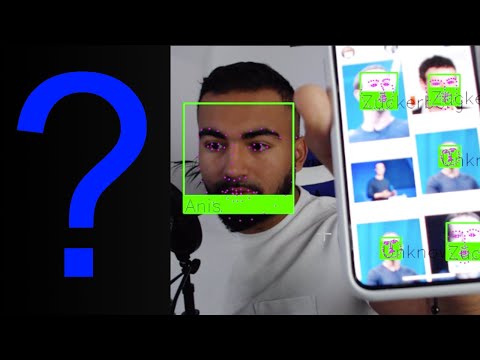
Click on the image below:
|
|
|
|
[](https://www.youtube.com/watch?v=54WmrwVWu1w)
|
|
|
|
## Authors
|
|
|
|
* **Anis Ayari** - *Lead Data Scientist*
|
|
|
|
## License
|
|
|
|
This project is licensed under the MIT License - see the [LICENSE.md](LICENSE.md) file for details
|
|
|
|
## Windows environment Notes
|
|
|
|
On Windows, you may have to additionnally install:
|
|
- opencv-python
|
|
- CMake
|
|
- Visual Studio and the extension for C++ so that `dlib` installation completes successfully
|