133 lines
5.0 KiB
Markdown
133 lines
5.0 KiB
Markdown

|
<div>
|
||
|
|
<a href="https://www.mischianti.org/forums/forum/mischiantis-libraries/pcf8575-16bits-i2c-digital-i-o-expander/"><img
|
||
|
|
src="https://github.com/xreef/LoRa_E32_Series_Library/raw/master/resources/buttonSupportForumEnglish.png" alt="Support forum pcf8575 English"
|
||
|
|
align="right"></a>
|
||
|
|
</div>
|
||
|
|
<div>
|
||
|
|
<a href="https://www.mischianti.org/it/forums/forum/le-librerie-di-mischianti/pcf8575-expander-digitale-i-o-i2c-a-16bits/"><img
|
||
|
|
src="https://github.com/xreef/LoRa_E32_Series_Library/raw/master/resources/buttonSupportForumItaliano.png" alt="Forum supporto pcf8575 italiano"
|
||
|
|
align="right"></a>
|
||
|
|
</div>
|
||
|
|
|
||
|
|
###Additional information and document update here on my site: [pcf8575 Article](https://www.mischianti.org/2019/07/22/pcf8575-i2c-16-bit-digital-i-o-expander/).
|
||
|
|
|
||
|
|
###If you need less pins [here](https://www.mischianti.org/2019/01/02/pcf8574-i2c-digital-i-o-expander-fast-easy-usage/) you can find pcf8574 discrete 8bit version of the IC.
|
||
|
|
|
||
|
|
Library to use i2c analog IC with arduino and esp8266. Can read and write digital value with only 2 wire (perfect for ESP-01).
|
||
|
|
|
||
|
|
- 16/02/2023: v1.1.0
|
||
|
|
- Fix STM32 support and add support for Raspberry Pi Pico and other rp2040 boards
|
||
|
|
- Add support for custom SERCOM interface of Arduino SAMD devices. Force SDA SCL to use GPIO numeration for STM32 bug (https://www.mischianti.org/forums/topic/compatible-with-stm32duino/).
|
||
|
|
- Force SDA SCL to use GPIO numeration (https://www.mischianti.org/forums/topic/cannot-set-sda-clk-on-esp8266/).
|
||
|
|
- Fix the SDA SCL type #58 and add basic support for SAMD device.
|
||
|
|
- 06/04/2022: v1.0.3 Fix package size
|
||
|
|
|
||
|
|
Tutorial:
|
||
|
|
|
||
|
|
To download. click the DOWNLOADS button in the top right corner, rename the uncompressed folder PCF8575. Check that the PCF8575 folder contains `PCF8575\\.cpp` and `PCF8575.h`. Place the DHT library folder your `<arduinosketchfolder>/libraries/` folder. You may need to create the libraries subfolder if its your first library. Restart the IDE.
|
||
|
|
|
||
|
|
# Reef complete PCF8575 PCF8575AP digital input and output expander with i2c bus.
|
||
|
|
I try to simplify the use of this IC, with a minimal set of operation.
|
||
|
|
|
||
|
|
PCF8575 address map 0x20 default
|
||
|
|
|
||
|
|
Constructor:
|
||
|
|
you must pas the address of i2c (to check the adress use this guide [I2cScanner](https://playground.arduino.cc/Main/I2cScanner))
|
||
|
|
```cpp
|
||
|
|
PCF8575(uint8_t address);
|
||
|
|
```
|
||
|
|
for esp8266 if you want specify SDA e SCL pin use this:
|
||
|
|
|
||
|
|
```cpp
|
||
|
|
PCF8575(uint8_t address, uint8_t sda, uint8_t scl);
|
||
|
|
```
|
||
|
|
You must set input/output mode:
|
||
|
|
```cpp
|
||
|
|
pcf8575.pinMode(P0, OUTPUT);
|
||
|
|
pcf8575.pinMode(P1, INPUT);
|
||
|
|
pcf8575.pinMode(P2, INPUT);
|
||
|
|
```
|
||
|
|
|
||
|
|
then IC as you can see in the image have 8 digital input/output:
|
||
|
|
|
||
|
|

|
||
|
|
|
||
|
|
So to read all analog input in one trasmission you can do (even if I use a 10millis debounce time to prevent too much read from i2c):
|
||
|
|
```cpp
|
||
|
|
PCF8575::DigitalInput di = PCF8575.digitalReadAll();
|
||
|
|
Serial.print(di.p0);
|
||
|
|
Serial.print(" - ");
|
||
|
|
Serial.print(di.p1);
|
||
|
|
Serial.print(" - ");
|
||
|
|
Serial.print(di.p2);
|
||
|
|
Serial.print(" - ");
|
||
|
|
Serial.println(di.p3);
|
||
|
|
```
|
||
|
|
|
||
|
|
To follow a request (you can see It on [issue #5](https://github.com/xreef/PCF8575_library/issues/5)) I create a define variable to work with low memori device, if you decomment this line on .h file of the library:
|
||
|
|
|
||
|
|
```cpp
|
||
|
|
// #define PCF8575_LOW_MEMORY
|
||
|
|
```
|
||
|
|
|
||
|
|
Enable low memory props and gain about 7byte of memory, and you must use the method to read all like so:
|
||
|
|
|
||
|
|
```cpp
|
||
|
|
byte di = pcf8575.digitalReadAll();
|
||
|
|
Serial.print("READ VALUE FROM PCF: ");
|
||
|
|
Serial.println(di, BIN);
|
||
|
|
```
|
||
|
|
|
||
|
|
where di is a byte like 11100011110001, so you must do a bitwise operation to get the data, operation that I already do in the "normal" mode, here an example:
|
||
|
|
|
||
|
|
```cpp
|
||
|
|
p0 = ((di & bit(0))>0)?HIGH:LOW;
|
||
|
|
p1 = ((di & bit(1))>0)?HIGH:LOW;
|
||
|
|
p2 = ((di & bit(2))>0)?HIGH:LOW;
|
||
|
|
p3 = ((di & bit(3))>0)?HIGH:LOW;
|
||
|
|
p4 = ((di & bit(4))>0)?HIGH:LOW;
|
||
|
|
p5 = ((di & bit(5))>0)?HIGH:LOW;
|
||
|
|
p6 = ((di & bit(6))>0)?HIGH:LOW;
|
||
|
|
p7 = ((di & bit(7))>0)?HIGH:LOW;
|
||
|
|
```
|
||
|
|
|
||
|
|
|
||
|
|
if you want read a single input:
|
||
|
|
|
||
|
|
```cpp
|
||
|
|
int p1Digital = PCF8575.digitalRead(P1); // read P1
|
||
|
|
```
|
||
|
|
|
||
|
|
If you want write a digital value you must do:
|
||
|
|
```cpp
|
||
|
|
PCF8575.digitalWrite(P1, HIGH);
|
||
|
|
```
|
||
|
|
or:
|
||
|
|
```cpp
|
||
|
|
PCF8575.digitalWrite(P1, LOW);
|
||
|
|
```
|
||
|
|
|
||
|
|
You can also use interrupt pin:
|
||
|
|
You must initialize the pin and the function to call when interrupt raised from PCF8575
|
||
|
|
```cpp
|
||
|
|
// Function interrupt
|
||
|
|
void keyPressedOnPCF8575();
|
||
|
|
|
||
|
|
// Set i2c address
|
||
|
|
PCF8575 pcf8575(0x39, ARDUINO_UNO_INTERRUPT_PIN, keyPressedOnPCF8575);
|
||
|
|
```
|
||
|
|
Remember you can't use Serial or Wire on interrupt function.
|
||
|
|
|
||
|
|
The better way is to set only a variable to read on loop:
|
||
|
|
```cpp
|
||
|
|
void keyPressedOnPCF8575(){
|
||
|
|
// Interrupt called (No Serial no read no wire in this function, and DEBUG disabled on PCF library)
|
||
|
|
keyPressed = true;
|
||
|
|
}
|
||
|
|
```
|
||
|
|
|
||
|
|
For the examples I use this wire schema on breadboard:
|
||
|
|

|
||
|
|
|
||
|
|
[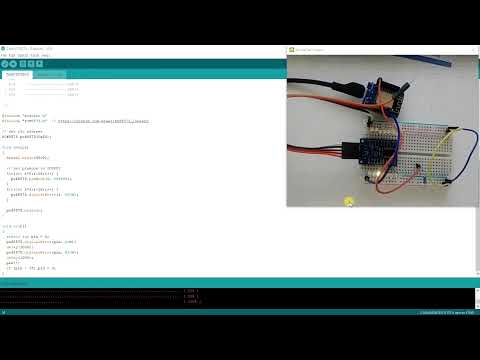](https://youtu.be/jWeHzBLeN6s "Test pcf8575")
|